Deposit on Cases.gg With Card, Apple Pay or Google Pay

Card and phone wallets are the quickest way to buy Gold Coins on Cases.gg. Here's how each works, what to do about declines, and the honest answer on PayPal.
Accepted methods
- Debit and credit cards
- Apple Pay
- Google Pay
- Crypto (BTC, ETH, LTC, USDT ERC20/TRC20, SOL, TRX, XRP); see our crypto deposit guide
In the US, purchases are processed by CasesGG US LLC (Delaware).
How to pay with Google Pay or Apple Pay
- Open the buy-coins screen and choose a package.
- Pick Google Pay (Android/Chrome) or Apple Pay (iPhone/Safari).
- Confirm with your fingerprint, face or PIN.
- Coins appear straight away.
Wallets are handy because your card number isn't typed into the site, and they sometimes go through when a direct card payment is declined.
How to pay by card
- Choose a package and pick card.
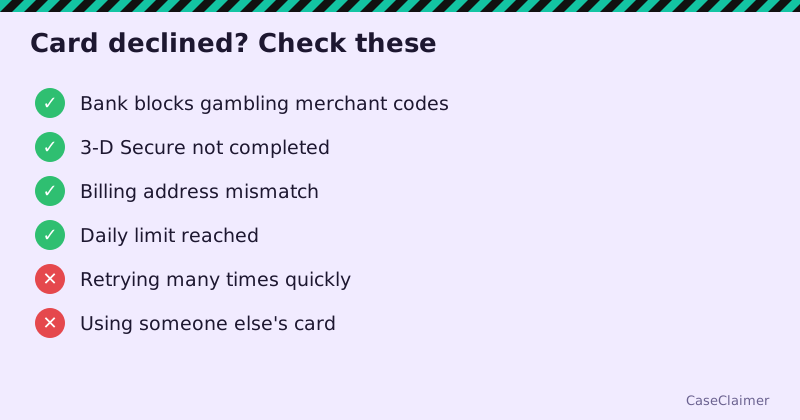
- Enter card details and billing address exactly as your bank has them.
- Complete the 3-D Secure check in your banking app if prompted.
What about PayPal?
We didn't find PayPal among Cases.gg's payment methods. Be wary of anyone offering to "top up your Cases.gg with PayPal" through a middleman. That's a common scam.
Credit cards: think twice
Buying gambling-style credits on a credit card is how small losses become debt. Some card issuers also treat these as cash advances with extra fees and interest. If you play, a debit card with a set budget is the safer choice.
Card deposits and withdrawals
The terms note that crypto withdrawals funded by fiat deposits require KYC. So if you pay by card and later redeem prizes to crypto, expect an ID check. Only prizes can be withdrawn, and balances must be fully played through first.