Home › How-To Guides › How to Secure Your Cases.gg Account: 2FA & Anti-Scam Setup
How to Secure Your Cases.gg Account (2FA Guide)
By the CaseClaimer Editorial Team · Fact-checked October 2026 · How we review
 Account settings, bonuses and odds tables all live in the site menus. Photo: CC0, via Wikimedia Commons.
Accounts with balances and items are targets. Ten minutes of setup prevents most problems.
Day-one setup
- Unique password you don't use anywhere else.
- Enable 2FA in account security settings, if available.
- Secure your email with its own 2FA. It's the master key.
- Steam Guard Mobile Authenticator on (also needed for skin trades after 15 days).
- Bookmark the real site so you never search and click a fake.
Common scams
| Scam | How it works |
|---|
| Fake support DMs | "Verify your account" links steal logins |
| Lookalike domains | Fake login pages |
| Steam API key theft | Hijacks your trades |
| "Free code" sites | Phish Steam logins |
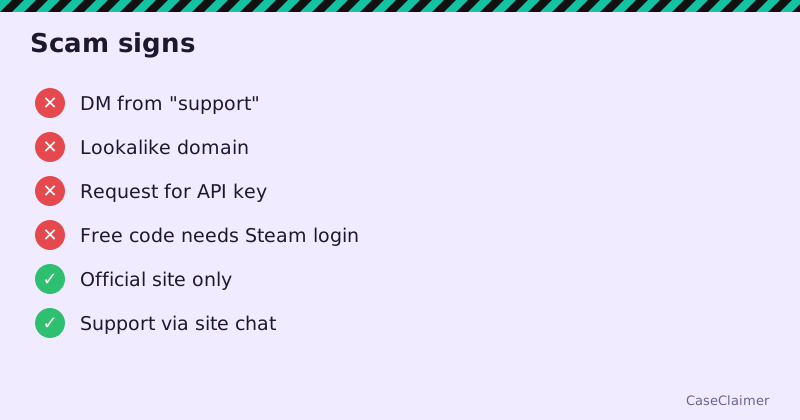 Common scams aimed at box-site players.
If something goes wrong
- Change passwords (email first).
- On Steam, revoke any API key you didn't create.
- Contact Cases.gg support through the official site with details.
18+ only. Security protects your items; budgets protect your wallet.
FAQ
Does Cases.gg have 2FA?
Look in account security settings for two-factor authentication and enable it if offered. Securing your email and Steam account matters just as much.
What if my Cases.gg account is hacked?
Change passwords, secure your email, revoke any Steam API key, and contact Cases.gg support through the official site.
Will Cases.gg support DM me?
Treat any unsolicited DM claiming to be support as a scam.
Why does Steam Guard matter?
It's required for skin trades (active 15 days) and protects your inventory.